Home Video Channel Setup Help
Use this page while setting up the app on Apple TV. You only need two values from your
Immich server: your server URL and an API key.
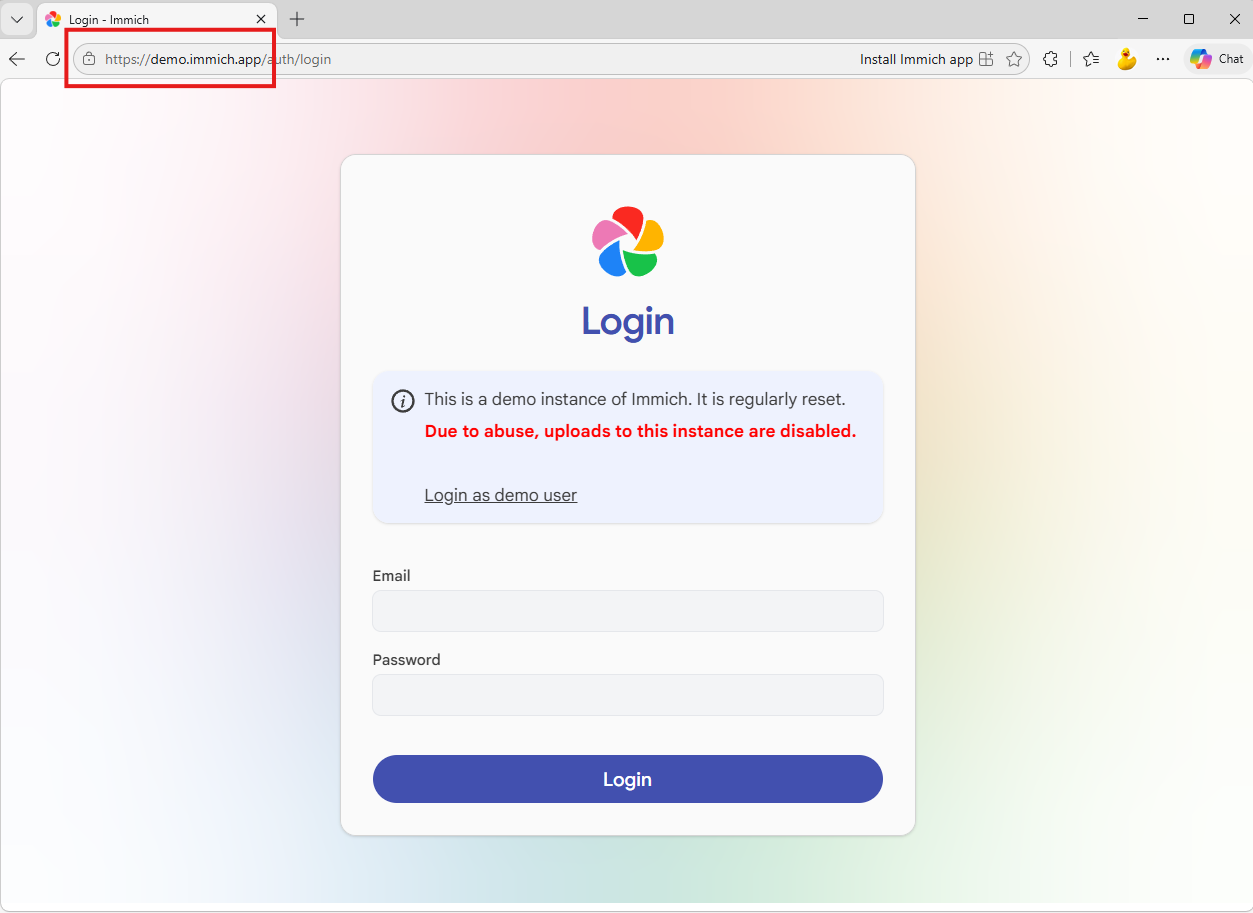
Tip: your URL should usually look like https://immich.yourdomain.com with no extra path.
1. Generate an Immich API key
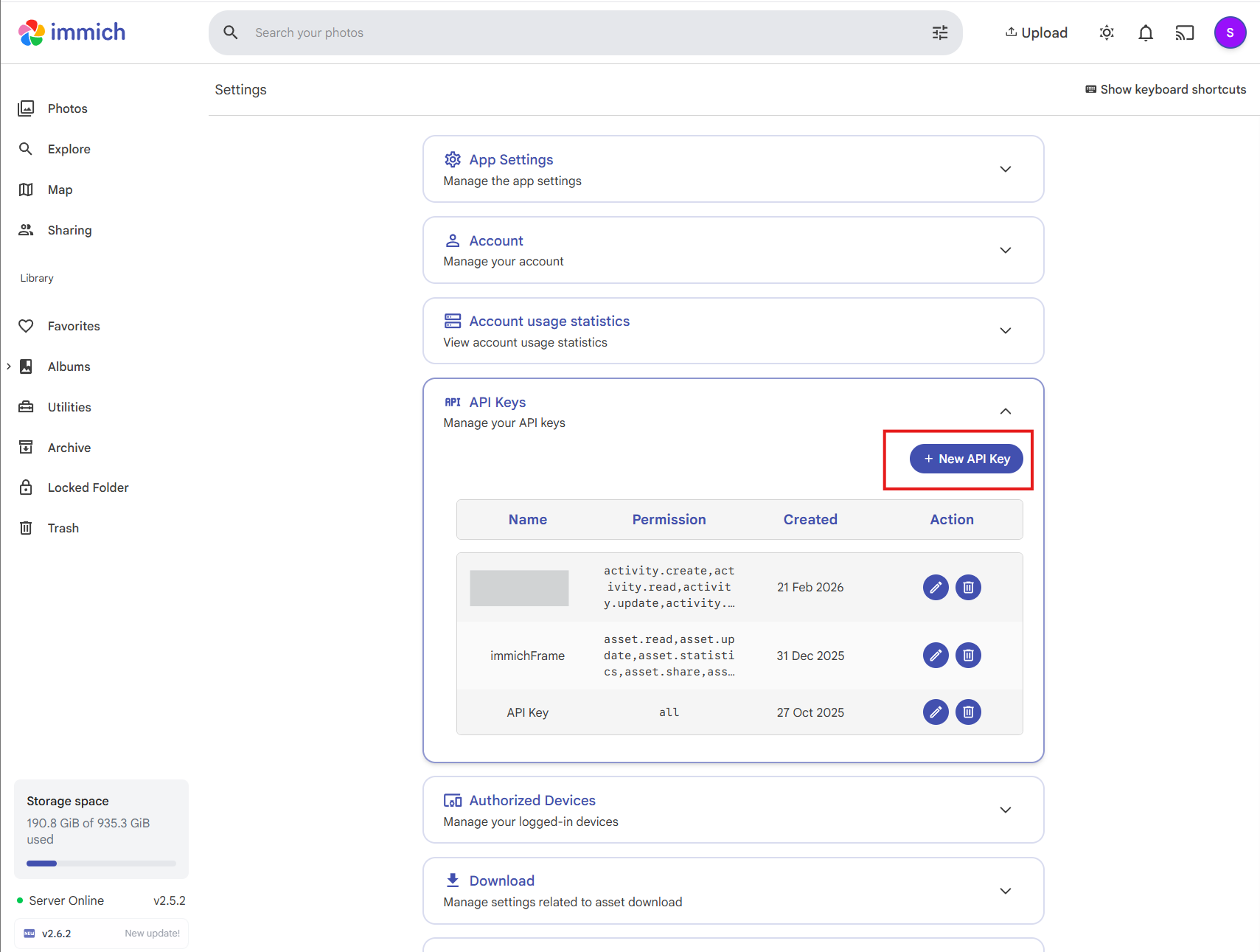
- Open your Immich web app in a browser and sign in.
- Open
Account Settings and find API Keys.
- Create a new key, give it a name like
Home Video Channel, then copy it.
- Paste this key into the app's API key field on Apple TV.
2. Find your Immich server URL
- Use the same URL you use to open Immich in your browser.
- Copy only the base URL, for example
https://photos.example.com.
- Do not include routes like
/albums or /api.
- Paste the URL into the app's Immich URL field on Apple TV.
After entering both fields
- Save the settings in the app.
- Run a connection test if prompted.
- Start playback.
If setup fails, verify the URL is reachable from your Apple TV network and the API key was copied fully.